Everything you need to edit images.
KawaPaint brings layers, precise drawing tools, rich effects, repeatable exports, and a familiar desktop workflow to Windows, Linux, and the browser.
- Platforms
- Windows, Linux, Web
- License
- MIT
KawaPaint
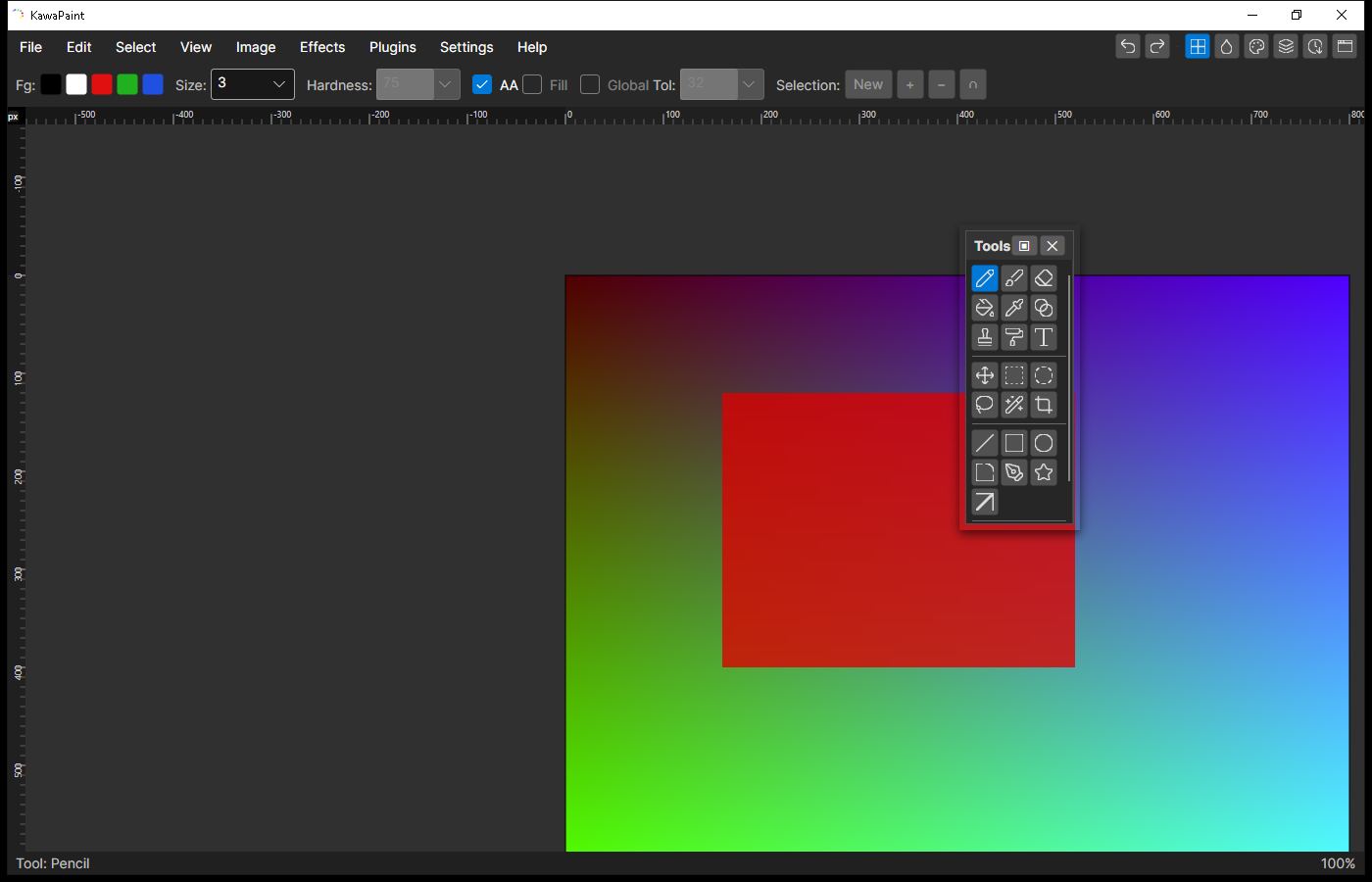
A focused workspace with the controls you need close at hand.
Built on a shared C# and SkiaSharp engine with a native Avalonia interface.
Fast for everyday edits, flexible for repeatable production work.
Feature list
A complete editing toolkit
From a quick crop to a scripted batch, KawaPaint keeps the entire workflow in one application.
01
Drawing and shapes
- Pencil and soft paintbrush with adjustable size and hardness
- Eraser, color picker, clone stamp, and recolor tools
- Paint bucket with tolerance and global fill modes
- Linear gradients with foreground and background colors
- Lines, rectangles, rounded rectangles, ellipses, stars, arrows, and freeform shapes
- Antialiased outlines and optional filled shapes
- Text and reusable dynamic text zones
02
Layers and selections
- Layer visibility, naming, reordering, duplication, import, merge, and flatten
- Opacity controls and 14 blend modes
- Rectangle, ellipse, lasso, and magic wand selections
- Replace, add, subtract, and intersect selection modes
- Move selected pixels without flattening the document
- Cut, copy, copy merged, and flexible paste placement
- Fill, erase, invert, crop, and deselect operations
03
Image adjustments
- Brightness and contrast, hue and saturation, levels, and curves
- Automatic levels, black and white, sepia, and color inversion
- Resize, canvas size, crop, rotate, and flip operations
- Live previews for parameterized adjustments
- Gaussian, motion, radial, zoom, surface, and unfocus blurs
- Sharpen, emboss, edge detect, posterize, and noise controls
04
Effects library
- Bulge, twist, polar inversion, tile, frosted glass, pixelate, and dents
- Median, outline, relief, vignette, and noise reduction
- Clouds, Julia fractal, and Mandelbrot fractal generators
- Glow, red eye removal, and portrait softening
- Ink sketch, pencil sketch, and oil painting styles
- Fragment and other configurable blur treatments
05
Files and export
- Layered KawaPaint projects compatible with the Paint.NET 3.36 format
- PNG, JPEG, WebP, ICO, JPEG XL, and JPEG 2000 encoding
- BMP and GIF import, plus content-based format detection
- Named export presets for resize, pad, fill and crop, quality, and filenames
- Caption and alt text sidecar packages
- CSV mail merge for producing personalized image sets
- EXIF, IPTC, XMP, GPS, and ICC metadata inspection and removal
06
Automation and safety
- Record edits as reusable KawaPaint scripts
- Batch apply scripts to individual files or entire folders
- Command line export presets and scripted pipelines
- Record and replay interactive demos at selectable speeds
- Configurable autosave with crash recovery
- Memory-aware undo history with disk spill support
- Optional local Git history for settings and linked projects
07
A workspace that adapts
- Dock, float, move, or hide Tools, Colors, Color Wheel, Layers, and History
- Build a custom dock from frequently used controls
- Save, rename, and restore workspace layouts
- Editable palettes with import and export
- Rulers in pixels, inches, centimeters, and millimeters
- Fit, actual size, and stepped zoom controls
- Searchable command palette and keyboard shortcuts
08
Open and extensible
- Native Windows and Linux applications from one shared engine
- WebAssembly edition for running in a modern browser
- Plugin API for custom effects and drawing tools
- Paint.NET classic effect plugin bridge on desktop
- Plugin manager with discovery, reload, and per-plugin controls
- Open source C# code under the MIT license
Inside KawaPaint
Familiar from the first click
A clear dark interface keeps the canvas central while detailed controls remain easy to reach.
Latest release
Start creating with KawaPaint
Self-contained builds include everything needed to run. No separate .NET installation is required.
0.6.0-betaMIT licensedSource available
Desktop builds are currently unsigned. Your operating system may show an unknown publisher warning.